
Fast, One-ClickMicroweber Hosting
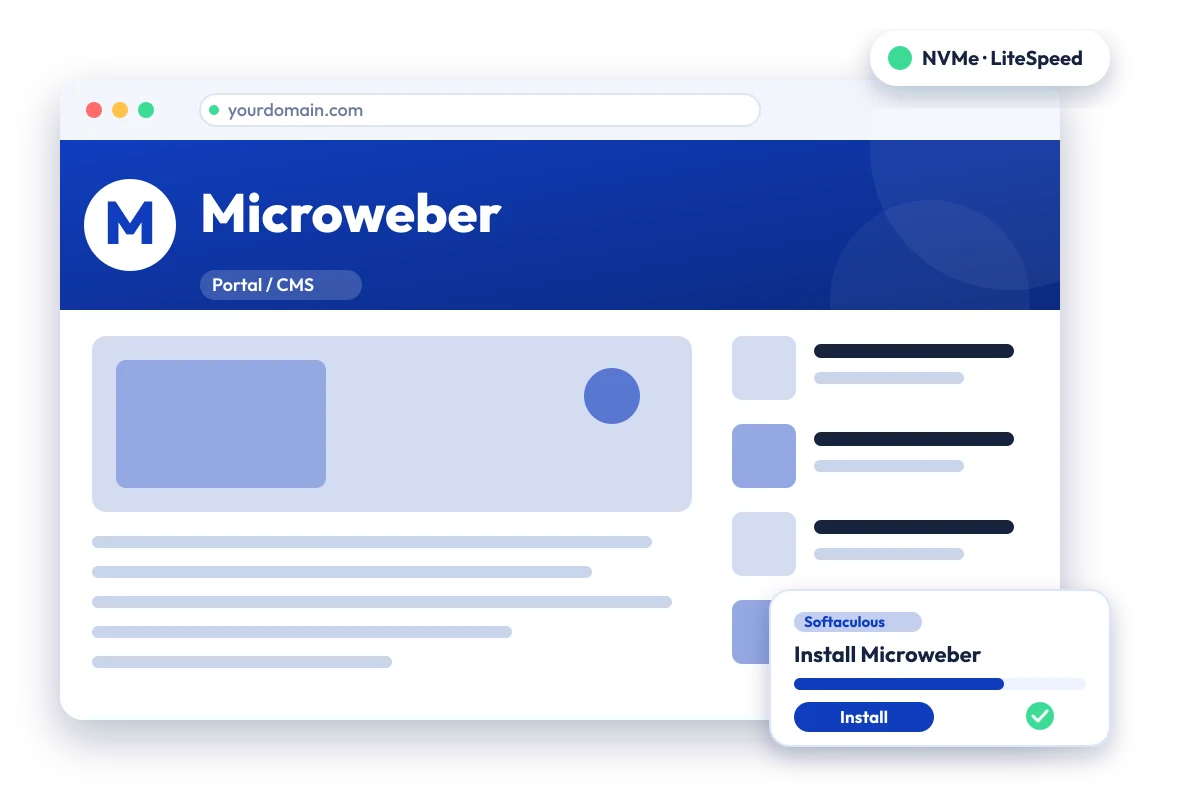
Drag-and-drop website builder and CMS with built-in online shop. Install Microweber in one click with the Softaculous installer on cPanel NVMe hosting: LiteSpeed, free SSL, daily backups and 24×7 support. From ₹129.00/mo billed triennially.
cPanel NVMe Hosting Plans for Microweber
Pick a server region and a plan, then install Microweber from Softaculous in one click. Prices are live from our billing system.
Starter
First site, blogs, portfolios
+6 months free
₹4,644.00 + 18% GST billed today for 3 years
42 months for the price of 36, about ₹111/mo
Renews at ₹4,644.00 every 3 years
- 5 Websites
- 10 GB NVMe Storage
- 10 MySQL Databases
- 25 Email Accounts
- 250 GB Bandwidth / month
- 1 GB RAM · 1 core
- Free Let's Encrypt SSL & free migration
- LiteSpeed Enterprise + LSCache
- Imunify360 · KernelCare · CageFS
- Daily JetBackup backups
- cPanel · Softaculous (400+ apps)
- 24×7 support · 99.99% uptime
Smart
Small business, a few projects
+6 months free
₹9,360.00 + 18% GST billed today for 3 years
42 months for the price of 36, about ₹223/mo
Renews at ₹9,360.00 every 3 years
- 20 Websites
- 30 GB NVMe Storage
- 40 MySQL Databases
- 100 Email Accounts
- 500 GB Bandwidth / month
- 2 GB RAM · 2 cores
- Free Let's Encrypt SSL & free migration
- LiteSpeed Enterprise + LSCache
- Imunify360 · KernelCare · CageFS
- Daily JetBackup backups
- cPanel · Softaculous (400+ apps)
- 24×7 support · 99.99% uptime
Business
Agencies and growing stores
+6 months free
₹18,756.00 + 18% GST billed today for 3 years
42 months for the price of 36, about ₹447/mo
Renews at ₹18,756.00 every 3 years
- 50 Websites
- 75 GB NVMe Storage
- 100 MySQL Databases
- 250 Email Accounts
- 1 TB Bandwidth / month
- 3 GB RAM · 3 cores
- Free Let's Encrypt SSL & free migration
- LiteSpeed Enterprise + LSCache
- Imunify360 · KernelCare · CageFS
- Daily JetBackup backups
- cPanel · Softaculous (400+ apps)
- 24×7 support · 99.99% uptime
Enterprise
High-traffic, large portfolios
+6 months free
₹32,868.00 + 18% GST billed today for 3 years
42 months for the price of 36, about ₹783/mo
Renews at ₹32,868.00 every 3 years
- 200 Websites
- 150 GB NVMe Storage
- 300 MySQL Databases
- 1,000 Email Accounts
- 2 TB Bandwidth / month
- 6 GB RAM · 4 cores
- Free Let's Encrypt SSL & free migration
- LiteSpeed Enterprise + LSCache
- Imunify360 · KernelCare · CageFS
- Daily JetBackup backups
- cPanel · Softaculous (400+ apps)
- 24×7 support · 99.99% uptime
Every plan runs on enterprise NVMe storage with per-account CloudLinux limits. Prices are pre-GST with no setup fee; the same plans and prices apply in India, France, Poland, Canada and Singapore. 30-day money-back guarantee.
What is Microweber?
Microweber is an open-source drag-and-drop website builder and content management system built on the Laravel PHP framework. It supports live editing and includes online shop features, so it can be used for websites, blogs and small stores. It is developed by the Microweber Academy Foundation, a non-profit registered in Bulgaria.
Licence: MIT · Built with: PHP (Laravel) · Official site: microweber.com
Common uses
- Small online shop
- Business website built without coding
- Blog with visual page editing
- Portfolio or landing-page site
Microweber requirements
- PHP: 8.2 or higher
- Database: MySQL, SQLite, Microsoft SQL Server or PostgreSQL
- PHP extensions: DOM/XML, GD, intl, curl, JSON, OpenSSL, sodium, mbstring, bcmath, zip, fileinfo, pdo_sqlite, pdo_mysql
- Apache with mod_rewrite, Nginx or IIS
It needs PHP 8.2 or higher with a long list of extensions, all of which can be enabled on standard cPanel PHP. The Softaculous package is large (about 570 MB), so check the account's disk allowance.
Why host Microweber with Hostripples
- One-click Microweber install from Softaculous inside cPanel, with no manual upload or database setup
- All-NVMe storage and LiteSpeed Enterprise with LSCache for quick page loads
- Selectable PHP versions per site and CloudLinux account isolation with CageFS
- Free SSL, daily JetBackup backups and Imunify360 malware protection
- Free migration of an existing Microweber site, and 24×7 support in English, Hindi and Marathi
Microweber features
What Microweber offers
Drag-and-drop builder
Pages are assembled visually from ready-made layouts.
Live editing
Text and content are edited directly on the page as visitors see it.
Built-in online shop
Products, orders and payment handling are included in the platform.
75+ modules
The listing cites modules such as backup, multilanguage, galleries, forms and menus.
Admin dashboard
An admin area covers content, orders, customers, promotions and visitor statistics.
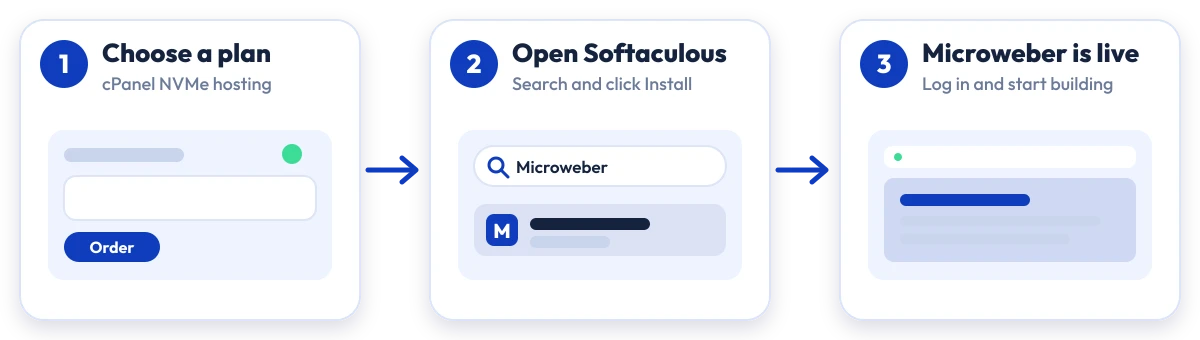
Install Microweber in four steps
No manual upload or database setup: Softaculous does it from your cPanel.

Plan
Choose a cPanel NVMe plan and server region

cPanel
Log in to cPanel and open Softaculous Apps Installer

Install
Search for Microweber, click Install and fill in the form

Launch
Open your new Microweber site and start building
Compare with other apps
People who look at Microweber often compare it with:
More Portal / CMS you can install in one click:
Which plan is right for me?
Pick the line that fits what you need. These are the same plans and live prices as the cards above.
First site, blogs, portfolios
Starter
5 Websites · 10 GB NVMe Storage · 10 MySQL Databases
Choose Starter₹129/mo
₹4,644.00 + 18% GST billed today for 3 years
Small business, a few projects
Smart
20 Websites · 30 GB NVMe Storage · 40 MySQL Databases
Choose Smart₹260/mo
₹9,360.00 + 18% GST billed today for 3 years
Agencies and growing stores
Business
50 Websites · 75 GB NVMe Storage · 100 MySQL Databases
Choose Business₹521/mo
₹18,756.00 + 18% GST billed today for 3 years
High-traffic, large portfolios
Enterprise
200 Websites · 150 GB NVMe Storage · 300 MySQL Databases
Choose Enterprise₹913/mo
₹32,868.00 + 18% GST billed today for 3 years
Prices for India. Other billing terms and server locations are on the plan cards.
Microweber Hosting: Frequently Asked Questions
Everything you need to know
Still have questions?
Our support team is live 24/7 in English, Hindi & Marathi.
Ready to launch Microweber?
Pick a cPanel NVMe plan and install Microweber in one click. Free SSL, free migration and 24×7 support included.