
Skip to content
Hostripples

Professional Emailon Your Own Domain

Get [email protected] mailboxes from Hostripples and partners: 5 GB per mailbox, spam and virus protection, webmail plus IMAP/SMTP for your phone and desktop apps, and 24/7 expert support.

5 GB per mailbox

Storage included

Spam & virus protection

On every mailbox

24/7 expert support

English, Hindi & Marathi

Starting at
₹61.00/mo per mailbox
✓Free migration help · Optional two-factor sign-in · Billed in advance, per mailbox

Everything Your Business Inbox Needs

Hosted business email with webmail, mobile access and security built in

If you're evaluating business email hosting India options, here's what actually ships in every mailbox — not a marketing list, the real feature set your team will use daily, from the first sign-in to the migration that gets your old mail across.

Modern Webmail

A rich-text editor with images, links and multilingual spellcheck, custom signatures, and an interface in major languages.

Spam Filtering

Built-in spam filtering keeps unwanted mail out of every inbox, checking messages before they land rather than leaving you to clean up after the fact. It runs automatically, with no extra setup or per-mailbox toggle needed.

Virus Protection

Virus protection is part of the service, so harmful attachments are caught before they reach your team.

Access From Anywhere

Use webmail in any browser, or add your mailbox to Outlook, Apple Mail and phone mail apps over IMAP or POP, with SMTP for sending.

Calendar & Contacts

An integrated calendar that syncs with Android, Gmail, Mac, iOS and Outlook, plus a full contacts directory.

Search & Filters

Find any message in seconds with powerful search and filters, even across years of mail once a mailbox has been in use for a while. Save filters for recurring senders or subjects so routine mail sorts itself.

Two-Factor Sign-In

Strong password requirements plus optional two-factor authentication for added mailbox security.

Migration Help

A bulk migration tool moves many mailboxes at once, and our team helps with complex moves.

Business Email Pricing

One plan, priced per mailbox, with everything included.

24/7 expert support included

Business Pro Email

Everything your team needs, in one inbox

₹60.83/mo

₹2,190.00 billed today for 3 years

Renews at ₹2,190.00 every 3 years

Get Business Pro Email
  • 5 GB storage per mailbox
  • Spam and virus protection
  • Webmail plus IMAP/POP and SMTP access
  • Calendar and contacts in webmail
  • Optional two-factor authentication
  • Migration help from our team
  • 24/7 expert support

Prices are per mailbox per month, billed in advance for the term you choose, before GST — GST is added at checkout, same as the rest of your hosting invoice. Annual and multi-year terms are available if you'd rather not renew every month, and you can add or remove mailboxes as your team changes.

Fast & Effortless Onboarding

How Business Email Works

From order to your first email in a few steps.

Step 1
Step 01

Step 1

Order Business Pro Email and enter the domain you own

Step 2
Step 02

Step 2

We set up your domain and mailboxes on our mail platform

Step 3
Step 03

Step 3

Point your domain’s mail records to your mailboxes; we give you the exact records

Step 4
Step 04

Step 4

Sign in to webmail, or add the mailbox to Outlook, Apple Mail or your phone

Step 5
Step 05

Step 5

Move your existing mail across with our migration help

Get Business Pro Email
✓Free migration help✓Optional two-factor sign-in✓24/7 expert support✓Mail records provided, step by step✓Works with Outlook, Apple Mail and the Gmail app

Who is business email for?

Professional email on your own domain, separate from your hosting.

Free webmail is fine for a hobby project, but the moment clients or vendors start emailing your business, the gap becomes obvious. Below is who typically makes the switch and why — because looking professional isn't just aesthetics, it's deliverability, trust, and the kind of domain email India customers expect when they check who they're really dealing with.

Small businesses

A [email protected] address on every invoice, quote and support reply tells a client this is a real, registered business, not a one-person operation working out of a personal Gmail. It also means the business keeps the address when someone leaves — the mailbox stays with the company, not the employee.

Freelancers and consultants

When you're pitching a client who's comparing a few consultants, a [email protected] address in your signature does quiet work a portfolio can't — it signals you've invested in your own operation. It also keeps client mail separate from your personal inbox, so nothing gets missed between the two.

Teams

Every team member gets their own mailbox with its own storage and sign-in, so nothing depends on one person's personal account. Calendar and contacts sync across the team, and access from webmail or any phone means nobody's stuck waiting to get back to a desktop to reply.

Anyone using free email for work

If you're currently running a business out of a gmail.com or yahoo.com address, moving is mostly a one-time setup: point your domain's mail records to your new mailboxes, and our migration tool brings your old mail across. What you get afterward is an inbox with your business name on it, without ads, and with spam and virus filtering built in rather than left to a free provider's settings.

Why choose Hostripples business email

Reliable, secure email that works everywhere.

Email on your own domain

Every mailbox uses your own domain instead of a shared, generic one, so [email protected] is what shows up in every reply. It's the same domain your website already uses, which means your email and your brand say the same thing everywhere a client sees them.

A business inbox with spam filtering and webmail

Webmail plus IMAP, POP and SMTP

Sign in through webmail from any browser when you're away from your usual device, or add the mailbox to Outlook, Apple Mail, the Gmail app or any phone's built-in mail app over IMAP or POP, with SMTP for sending. Set it up once per device and it stays connected.
A control panel dashboard with tiles for the main tools

Spam and virus filtering

Incoming mail is checked for spam and known malware before it reaches the inbox, so your team isn't the last line of defense against a bad attachment. It runs on every mailbox by default — there's no separate setting to turn on or plan to upgrade into.
An uptime graph with network, power, cooling and monitoring indicators

Generous mailbox storage

Each mailbox comes with 5 GB, enough for years of ordinary business correspondence including attachments, before you'd need to think about archiving anything. Webmail makes it easy to see what's taking up space and clear it out if you ever get close.

A page-load speed comparison between storage types

24×7 support

If a mailbox won't sign in, a mail record needs checking, or you're mid-migration and something looks off, support is available around the clock in English, Hindi and Marathi. Plans start from ₹61.00/mo per mailbox, with no separate support tier to buy into.
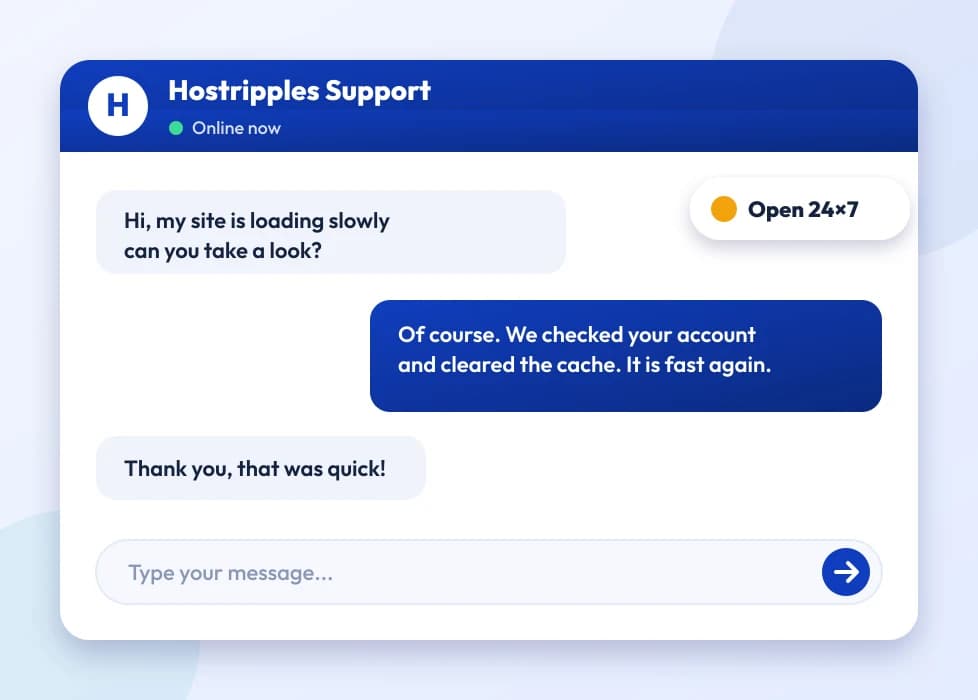
A support chat with an expert answering a question
Got Questions?

Business Email FAQs

Business email hosting puts your mailbox on your own domain — [email protected] instead of [email protected] — with webmail, spam and virus filtering, and mobile access built in, run as a dedicated mail service rather than a free consumer inbox. It's the standard setup for email hosting for small business India owners use once they've registered a domain, because it keeps business mail separate from personal mail and looks like it's coming from a real company.
Yes — Business Email runs on a domain you own, such as yourcompany.com, and your mailboxes are [email protected]. If you don't have a domain yet, you can register one with us first and then order mailboxes on it; the two are separate purchases, so you're free to bring a domain from elsewhere too.
Yes, and this is one of the most common setups. You don't need to transfer the domain itself — you only need to update its MX records (the DNS records that tell the internet where to deliver mail for that domain) to point at our mail servers. We give you the exact records to add, you paste them into whichever registrar or DNS panel manages the domain, and mail starts routing to your new mailboxes once the change propagates, usually within a few hours.
MX records are added wherever your domain's DNS is currently managed — that's your domain registrar's panel if you haven't pointed DNS elsewhere, or your DNS provider's panel if you have. After you order Business Email, we send you the exact MX records, along with any supporting SPF or DKIM records, to add. If you're not sure where your DNS is managed, our support team can look it up and walk you through it.
You can buy Business Email entirely on its own — you don't need to host your website with us, or host it anywhere in particular. It works alongside any hosting setup, including a website hosted elsewhere, WordPress on a different host, or no website at all yet. The only requirement is a domain to point the mail records at.
The email bundled with a basic hosting plan is usually limited in storage and shares server resources with your website, so a traffic spike or backup job can slow both down together. Business Email is a separate, dedicated mail platform — 5 GB per mailbox, its own spam and virus filtering, and no competition with your website for resources. Many customers run their site on hosting and their mail on Business Email side by side, which is exactly what it's built for.
Each mailbox includes 5 GB. As you get close to the limit, new mail starts bouncing back to senders with an over-quota message rather than silently disappearing, so you'll know when it's time to clear space. Deleting old attachments or archiving mail to your device in Outlook or Apple Mail usually frees up enough room; if your team is consistently close to the limit, talk to support about your options.
Yes, a catch-all can be configured so mail sent to any address at your domain — including typos or addresses you haven't created — lands in one mailbox instead of bouncing. It's useful early on if you're not sure exactly which addresses people will use, though most businesses switch to specific mailboxes like sales@ and support@ once traffic picks up, since a catch-all also collects any spam sent to made-up addresses.
Yes. A shared mailbox like [email protected] or [email protected] works the same way as a personal one — multiple people can be given the sign-in, or you can forward it to individual mailboxes so everyone sees incoming mail without sharing a single login. It's common to run a mix: named mailboxes for each person, plus one or two shared ones for anything that shouldn't depend on a single team member.
A shared mailbox is one inbox multiple people can sign into — replies come from that one address, and everyone sees the same set of messages, sent and received. A distribution list instead forwards a copy of every incoming message to several individual mailboxes, but each person replies from their own address. Use a shared mailbox when you want one shared record of a conversation; use a distribution list when you just want several people notified.
Yes, forwarding can be set up from webmail so mail sent to one address is automatically copied or redirected to another mailbox, internal or external. It's commonly used to route a general address like info@ to whoever's currently handling inquiries, or to keep receiving copies of an old role-based address after reorganizing your mailboxes.
Yes, autoresponders are available from webmail — set a start and end date, write your message, and anyone who emails you during that window gets an automatic reply. It works the same for individual and shared mailboxes, so you can put a support inbox on an out-of-office message during a holiday closure just as easily as a personal one.
Yes. Business Email works over standard IMAP, POP and SMTP, so it adds cleanly to the Gmail app, the Outlook app, or iOS Mail — you're not limited to our webmail. In the Gmail app you add it as an account and choose IMAP; the Outlook app can usually auto-detect the settings once you enter your address and password. We can send you the exact server, port and security settings for whichever app you're setting up, and support can walk through it live if a particular device is being difficult.
Yes, the built-in calendar and contacts sync with Android, iOS, Gmail, Mac and Outlook, so appointments and saved contacts follow you across devices rather than staying stuck in webmail. It works the same way whether you're syncing to a phone, a second computer, or both at once.
It's included on every mailbox by default, at no extra cost and with nothing to switch on. Incoming mail is checked for spam and known malware before it's delivered, which is also why occasional false positives are worth checking your spam folder for — the filtering errs on the side of catching more, not less.
First check the spam or junk folder in webmail — filtering occasionally flags a legitimate sender, especially a new one. Marking it 'not spam' helps the filter learn for future mail from that address. If mail from a specific sender keeps getting caught, or the reverse happens and your outgoing mail is landing in other people's spam folders, contact support — this is sometimes fixed by adding the right SPF or DKIM records for your domain, which we can check and set up for you.
Yes. A bulk migration tool can move many mailboxes at once from Google Workspace, Microsoft 365, or most other mail providers, bringing across existing mail rather than starting every mailbox empty. For anything more complex — shared calendars, large archives, or a migration you'd rather not run yourself — our team will handle it directly once you've signed up.
Not if it's planned properly. The usual approach is to set up your new mailboxes first, run the migration to copy existing mail across, and only switch your domain's mail records over to us once everything has landed — so there's no gap where mail has nowhere to go. If you're migrating from a provider where you need to keep the old service briefly for other reasons, we can talk through an order that works for your situation.
Signatures are set per app rather than syncing automatically, since webmail, Outlook and your phone's mail app each store their own settings. Webmail lets you build a signature with images and formatting; for Outlook and mobile apps you'd add the same text, or a simpler version since some phone mail apps don't support images well, in that app's own signature settings. It's a five-minute job per device, not something that needs redoing often.
You can order as many mailboxes as your team needs, and add more at any time as you hire — each one is billed per mailbox, so you're not paying for seats you're not using. There's no minimum beyond one, which makes it practical for a freelancer with a single address just as much as a growing team.
Yes, the price shown is per mailbox per month, billed in advance for whichever term you choose at checkout — monthly, annual or multi-year, if you'd rather not renew every month. GST is added at checkout the same way it is on the rest of your hosting invoice, so the number you see at signup is what lands on the invoice before tax.
Mailboxes stop working once the service isn't renewed, in line with our standard billing terms — the domain's mail records would need to be pointed elsewhere before that happens if you want mail to keep flowing uninterrupted. If you're planning to move providers, it's worth setting up the new mailboxes and updating your MX records before your current term ends, rather than after.
Business Email is not covered by the 30-day money-back guarantee that applies to our shared and reseller hosting plans, since mailboxes and migration work are set up individually per order. Please see our Refund Policy for the full terms, or talk to support before ordering if you have questions about a specific situation.
No — you can use a domain registered with us, or one registered anywhere else, as long as you're able to update its MX records. If you'd rather manage everything in one place, transferring the domain to us is optional, not required, to use it for a company email address India-based teams set up through us.
Two-factor sign-in is available on every mailbox and can be turned on from webmail settings; it's optional rather than forced, so you can enable it mailbox by mailbox as your team's comfortable. Combined with the standard password requirements, it's worth turning on for any shared or high-value mailbox like a finance or admin address.
Support is available 24/7 in English, Hindi and Marathi, covering everything from mailbox setup and MX records to migration questions and day-to-day issues like a device that won't sign in.
Business Email is built for normal day-to-day business correspondence, not bulk newsletter sending — sending large batches of marketing email from a regular mailbox risks tripping spam filters and affecting deliverability for your whole domain. For newsletters or marketing campaigns, a dedicated email marketing tool that integrates with your domain is the better fit, and your Business Email mailboxes stay reserved for one-to-one and small-group mail.
Either works, and most teams use both. Give each person their own mailbox for anything tied to them individually, and add a shared mailbox like info@ or team@ for anything that should stay accessible even if one person is out. It's the setup most small teams land on once they've tried running everything through one shared inbox and found things slipping through.

Still have questions?

Our support team is live 24/7 in English, Hindi & Marathi.

Chat with an Expert

Ready for professional email on your domain?

Set up business mailboxes with 5 GB each, spam and virus protection, and 24/7 expert support.

Get Business Pro Email